Your own report
Something happened near you
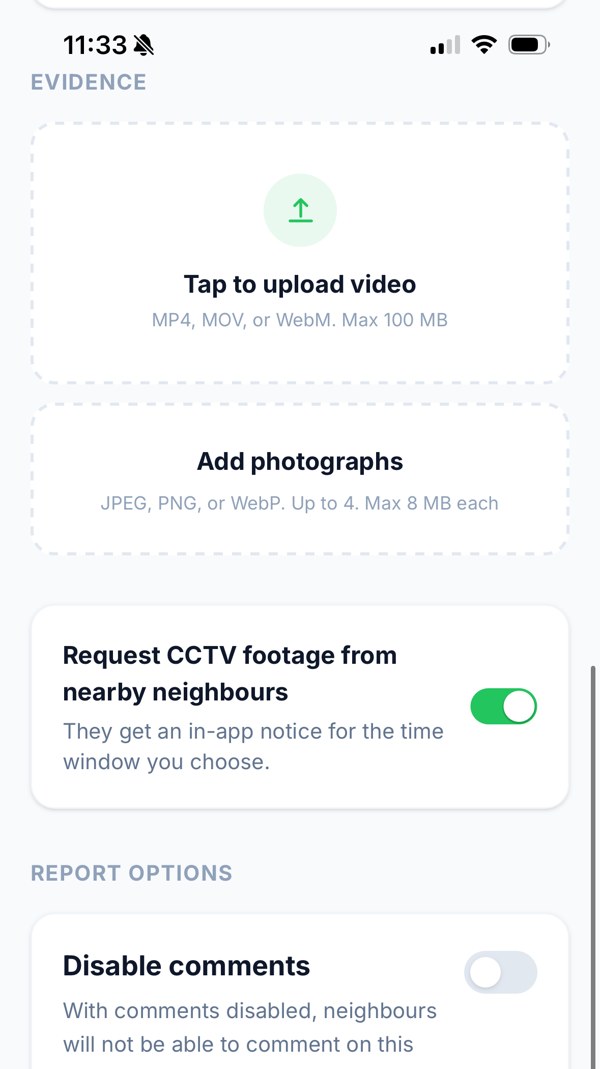
Tap + Report, pick what happened and add your clip in the same step.
- Up to 5 videos (100 MB each) or 4 photos (8 MB each)
- No footage? Send the report anyway, and ask nearby cameras to check
HomeShare footage
Doorbell and CCTV footage
Caught something on your doorbell or CCTV? Here's how to save the clip from your camera and add it to StreetAlert. It takes a few minutes. CCTV footage sharing explains who can watch it.
MP4 · MOV · WebM
Video types
100 MB
Per video, up to 15 min
Checked first
Before neighbours see it
Add footage when you warn your street yourself, or when a neighbour asks whether your camera caught something.
Your own report
Tap + Report, pick what happened and add your clip in the same step.
A neighbour asks
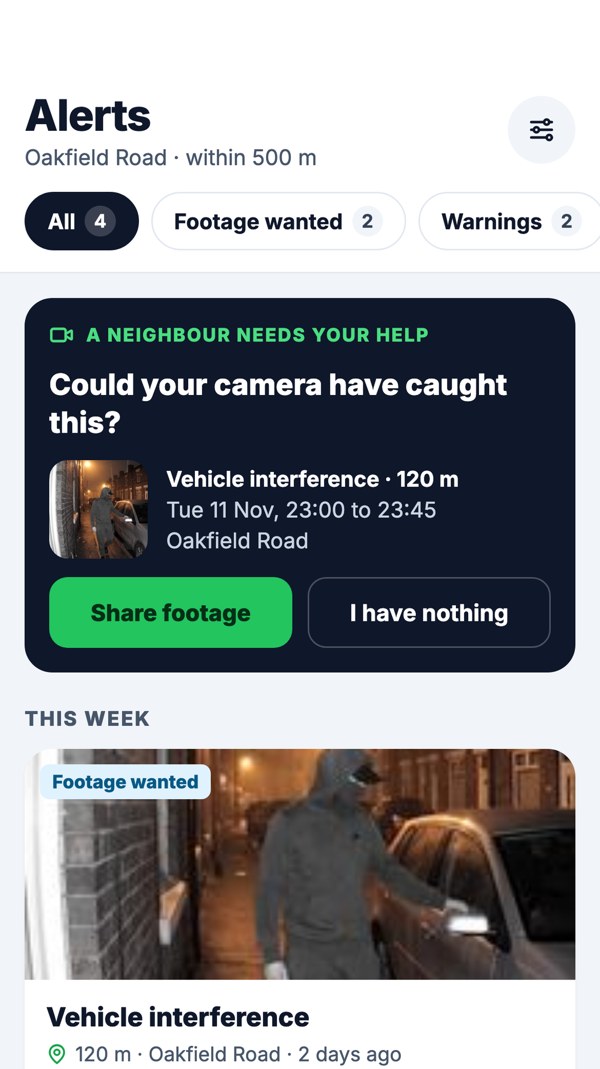
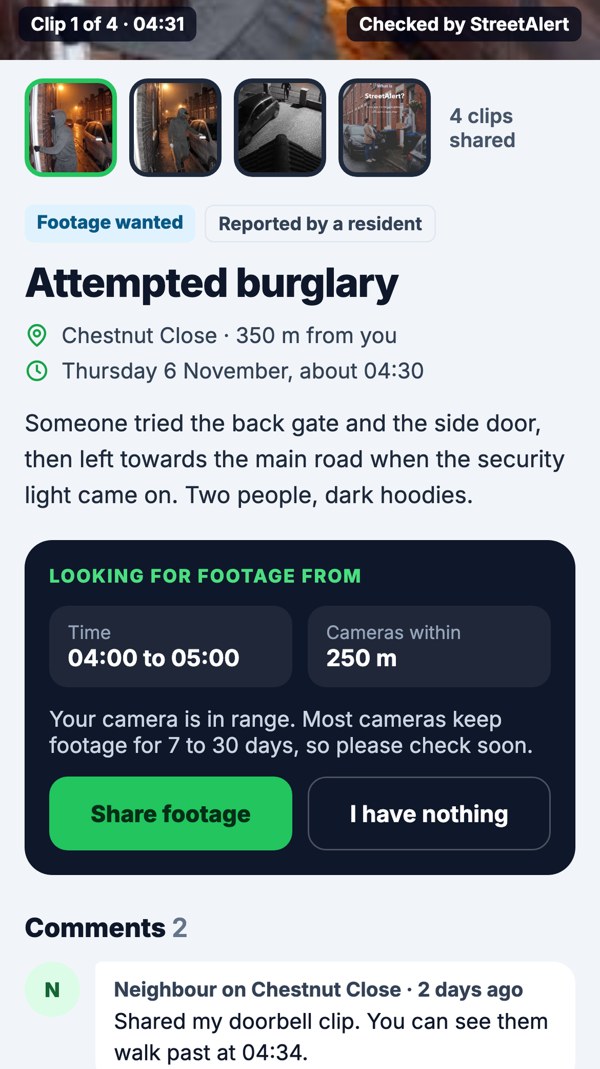
Footage requests near your home appear in Alerts, with the time window they're asking about.
The same steps work on iPhone, Android and the website.
Open your doorbell or camera app, find the moment, and save the video to your phone. See the steps for your camera.
Do it soon, as clips get deleted
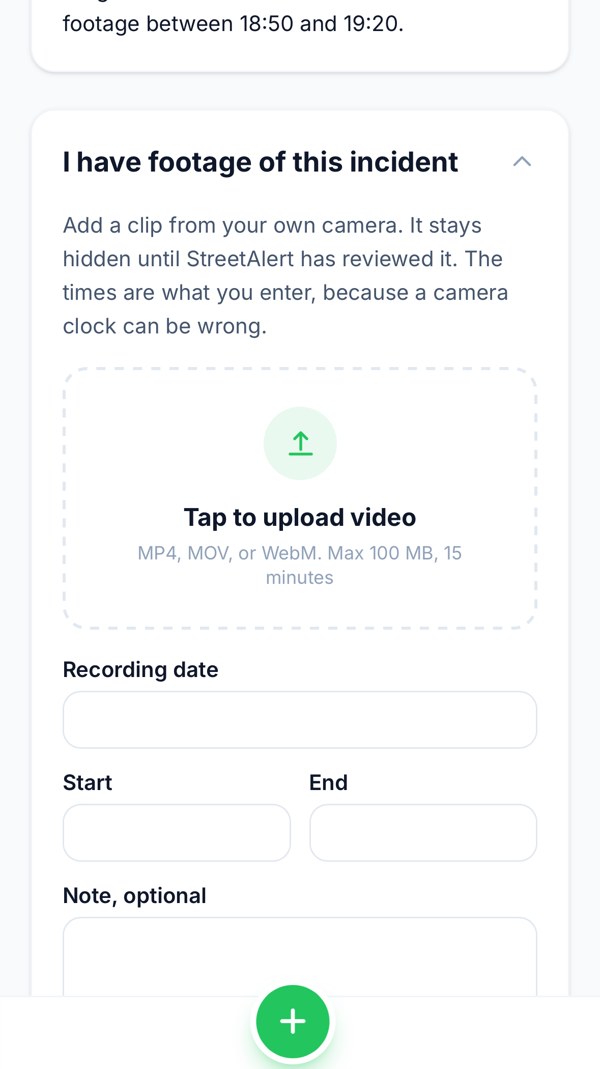
Go to the report or request and tap Share footage. On any report you can also open “I have footage of this incident”.
Cameras within range are asked
Tap Tap to upload video and pick the clip. Add the recording date and the start and end time. Camera clocks can be wrong, so we use the times you enter. Add a short note if it helps.
Your clip stays hidden until StreetAlert has checked it. Once it's approved, you choose who can see it, and the person who made the report is told. The message names the road only.
Stored privately until approved
Pick your camera. Menus change when apps update, so if a button has moved, look for Download, Save, Share or Export.
Saving recordings needs a Ring subscription plan.
Steps last checked November 2026.
Most cameras keep footage for 7 to 30 days, and some only for hours without a subscription.
Trimming to the moment that matters is fine. Don't crop or add filters, so the time and date stay visible.
Trim it shorter, or save a lower-quality copy from your camera app. Each video can be up to 100 MB.
StreetAlert never connects to your camera. Nothing is shared unless you upload it.
Upload footage from a camera you control, or one you have permission to share.
Every clip stays hidden until StreetAlert has reviewed it.
Once approved, you decide who can watch your clip.
If a crime happened, report it to the police yourself and give them your footage too.
Does your camera film the street or a neighbour's home? The ICO has simple guidance for home CCTV: Read the ICO guidance.
Emergency or crime happening now? Call 999. For anything else, call 101 or report online to your local police.
No. StreetAlert does not offer a download of the original file. Someone can still film their own screen. The rules are in our terms of use.
No. StreetAlert does not contact the police for you. If a crime happened, report it to the police yourself and give them your footage too.
Tap I have nothing. The person who asked is told that you checked. You do not need to upload a clip.
Use an MP4, MOV or WebM. Each video can be up to 100 MB and 15 minutes. On a new report you can add up to 5 videos, or 4 photos of up to 8 MB each. If the file is too big, trim it or save a smaller copy from your camera app.
More than sharing footage
Sharing footage is just the start. StreetAlert also keeps you up to date with real figures, your local police and the things that matter on your road.
Free for every street in the UK.
Join freeOpen StreetAlert, find the report and tap Share footage.