You hear about problems sooner.
A warning from a neighbour a few doors away is more useful than a rumour days later.
HomeAbout StreetAlert
Your street. Your safety. Together.
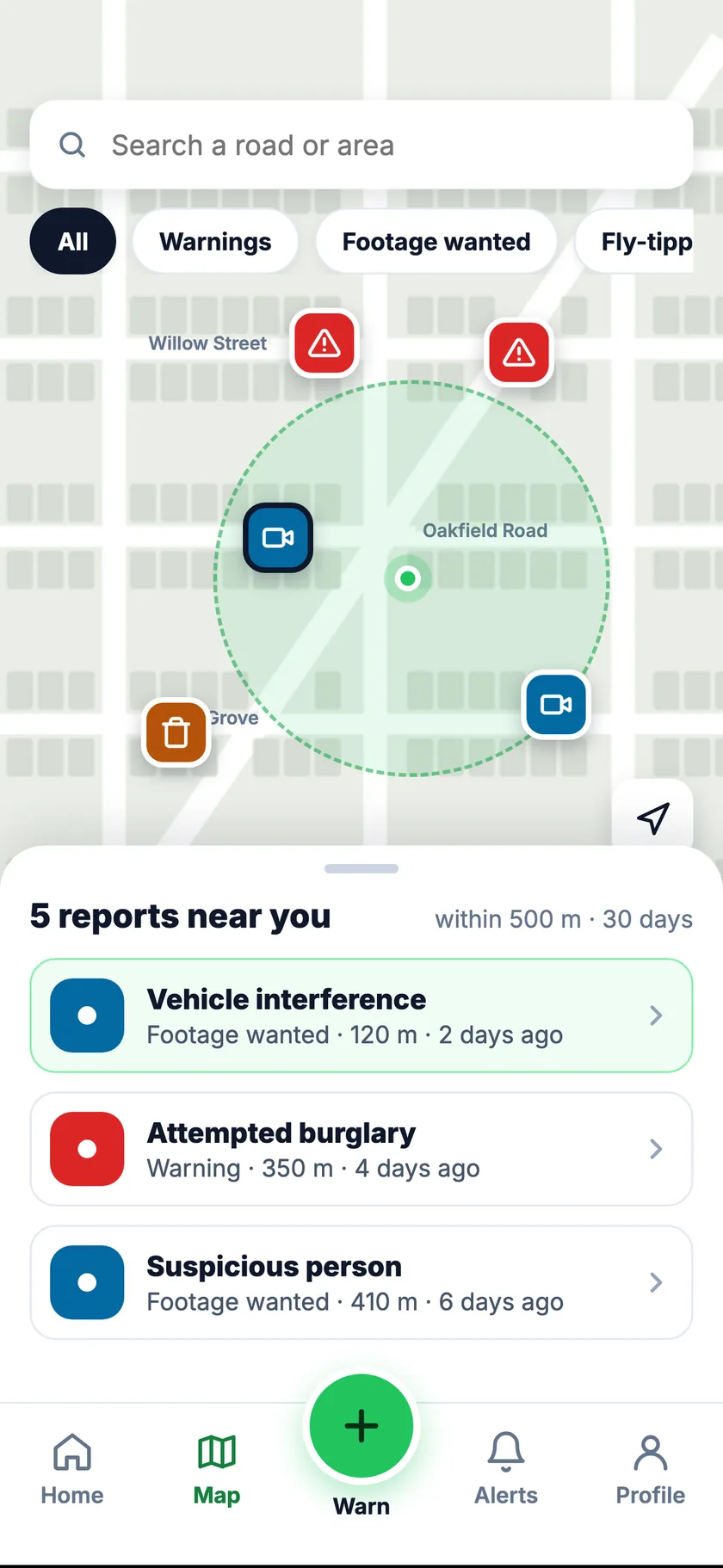
I'm Adrian, and I founded StreetAlert after moving into new areas and seeing crime happen on my own street. I wanted to warn the people around me, but that is hard when you don't know your neighbours well. There was no WhatsApp group for the road and no simple way to tell anyone what had happened or to see what they had spotted. I built StreetAlert so neighbours can warn each other and work together to keep their homes and their street safe, even if they have never met.
StreetAlert links the people who live close to each other. When something happens nearby, a neighbour can upload doorbell or CCTV footage, send an alert, and ask whether anyone else's camera caught it. Many homes already have a doorbell camera or CCTV, but the footage usually sits unseen unless someone on the street shares it.
Every member joins from home, on their phone. A text code confirms your mobile number and the phone shares its location once, so StreetAlert can detect your road and fix it to your profile. You can use the app as soon as the account is created. That keeps the site about real neighbours on real streets.
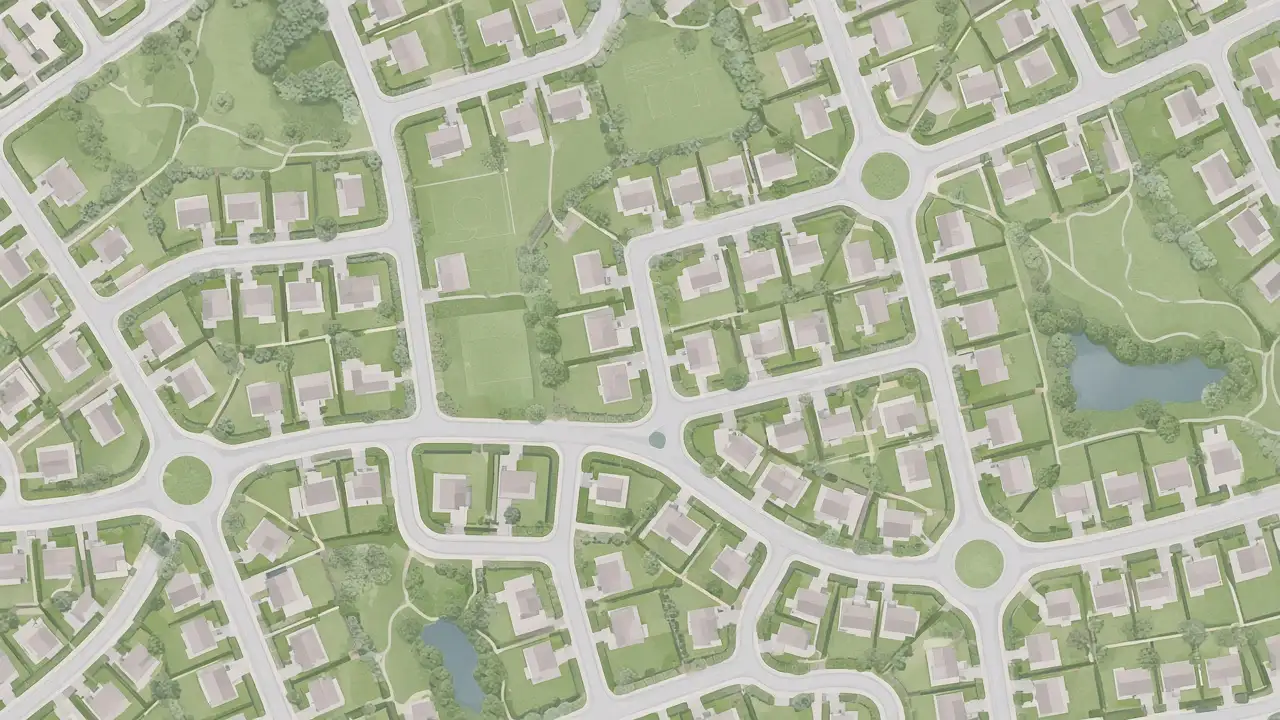
Most of us only learn about a break in, a stolen parcel or a van being targeted after the fact, and often by chance. Footage that could help is spread across dozens of doorbells, and nobody has an easy way to check them all. Fly-tipping is similar. The rubbish is left, neighbours nearby are not told, and nobody has a simple way to gather the footage that shows who dumped it.
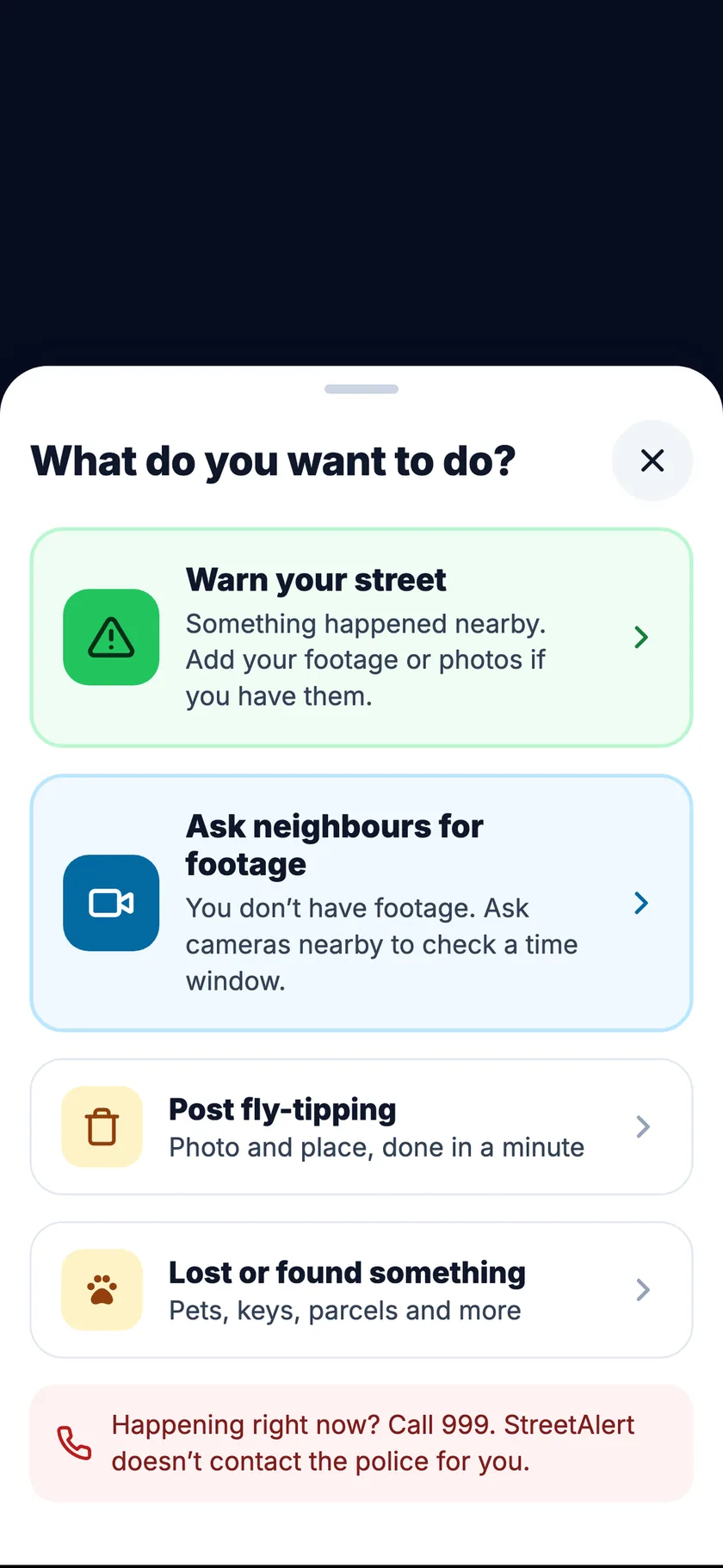
StreetAlert was built to close those gaps with three ideas: tell your neighbours, ask for footage and follow it up.
Something happened nearby. Tell verified neighbours what you saw, from suspicious activity to vehicle interference or parcel theft. You can add a photo or a CCTV clip if you have one, or send the post without footage.
No clip of your own? Ask nearby cameras to check a time window. Residents who have chosen to help can look through their recordings, and each neighbour decides whether to respond.
Reports stay on record, so your street can see what happened next. A fly-tipping report alerts neighbours, who can add CCTV or doorbell footage. That helps find who left the rubbish. Neighbours can then take the evidence to the council. StreetAlert does not submit the case.
Members join from home with a mobile code, and their road is detected and fixed to their profile. They can use the app as soon as the account is created.
Reports reach residents on your street and the local streets around it. People in other areas cannot see them, so posts stay private to local homes.
Once you are registered, the app alert starts on. Email, text and WhatsApp stay off until you turn them on.
Videos and photographs are stored privately and reviewed before other residents can watch them. Extra footage added by a neighbour is reviewed in the same way, and the contributor decides who can see an approved clip. When that clip is shared with neighbours, people who commented get an app alert that names the road only. A private clip is not announced to them.
Alert neighbours to dumped rubbish. They can add CCTV or doorbell footage so the street can build evidence of who left it, then take that to the council. StreetAlert does not submit the case.
Neighbours who can see a report can comment on it, reply, and like a comment. A comment is labelled with the road name. A neighbour can send one that only the person who sent the report can see. The person who sent the report can turn comments off when they send it, or later from the report. A new comment alerts that person in the app. A reply alerts the person who wrote the original comment. The alert names the road only.
Turn on alerts for applications near the home you joined from. You see the road and the distance, and you can ask for one message when the council decides. It stays off until you switch it on.
A warning from a neighbour a few doors away is more useful than a rumour days later.
One request reaches the cameras near you, so a useful clip has a better chance of turning up.
Reports, photographs and fly-tipping footage sit in one place instead of scattered across group chats.
Posts are only visible to residents on your street and nearby streets, never to people in other areas. Other residents see your road name and an approximate distance, not your exact location. StreetAlert does not use facial recognition. Our privacy policy sets out what is kept and who can see it. CCTV and privacy rules are on the community safety and privacy page.
StreetAlert is not a neighbourhood watch, an argumentative Facebook page, or a WhatsApp group that gets put on silent. Neighbours upload video of what their camera saw. Other residents are not shown who sent it, and they are not shown a house number. They see the road name and an approximate distance.
StreetAlert is not an emergency service. If a crime is happening or someone is in danger, call 999. For a non-emergency police matter, contact 101. StreetAlert does not contact the police for you, and a report is what a resident says they saw, not a finding by the police. StreetAlert does not own or operate those cameras. What a resident uploads is their own submission. It can sit alongside a neighbourhood watch. It is not one. Please only upload footage from a camera you control or have permission to share. The full rules are in our terms of use.
Street Alert Ltd is a private limited company registered in England and Wales. Company number 17584739. Registered office: 115-117 Plumstead Common Road, London, SE18 2UQ. StreetAlert.co.uk is operated by that company.
StreetAlert works best when more of your neighbours are on it. Sign up on your phone at home, confirm your number and your road is set up for you. Then tell the people next door.
Questions about your account or a report? Contact us and we will pick it up.