Reviewed first
Other residents cannot watch a clip until it has been reviewed. You can still see your own.
HomeCCTV footage sharing
Doorbell and CCTV
CCTV footage sharing lets you send a clip from a doorbell or CCTV camera to the verified neighbours on your street. Clips are reviewed before anyone else can watch, and only homes nearby can see them. Free in the UK.
Reviewed before anyone else sees it
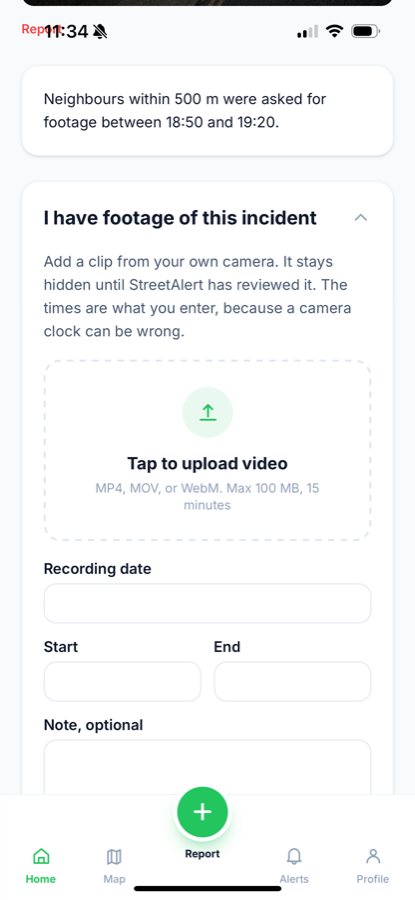
Example screen
You keep the clip in your own camera app. StreetAlert never connects to the camera. You choose a file and upload it.
Save it from your camera app as MP4, MOV or WebM. Up to 100 MB and 15 minutes.
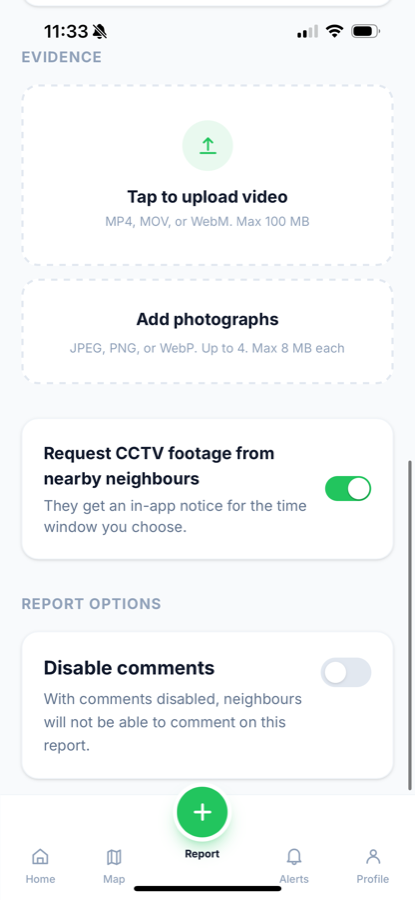
Add it when you warn the street, or when a neighbour has asked about that time.
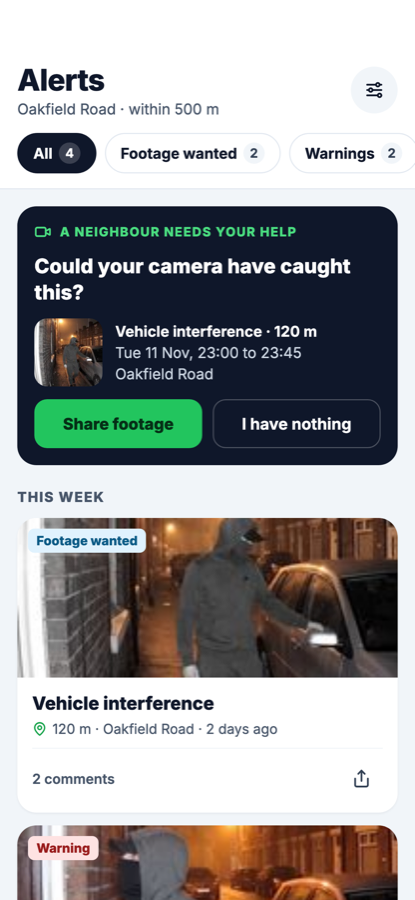
After a review, logged-in residents close to the report can watch it. People further away cannot.
This page is the overview. The guide that walks through saving a clip from a camera, then adding it, is separate.
A clip is reviewed before any other resident can watch it. Video can be MP4, MOV or WebM, up to 100 MB and 15 minutes. On a new report you can add up to 5 videos, or 4 photos of 8 MB each.
A shared clip is for the homes on that street. It is not posted to the open web.
Other residents cannot watch a clip until it has been reviewed. You can still see your own.
A report names the road. It does not name the house. Only logged-in residents whose home is close enough can see it, and never further than 500 metres.
The person who uploaded the clip can delete it. It is then gone for everyone else.
StreetAlert does not contact the police or the council, and it does not connect to a camera.
No. A clip is shown to logged-in residents near the report, after it has been reviewed. It is not a public video page.
A clip is reviewed before any other resident can watch it. Video can be MP4, MOV or WebM, up to 100 MB and 15 minutes. On a new report you can add up to 5 videos, or 4 photos of 8 MB each.
Yes. The person who uploaded the clip can delete it. It is then removed, so other residents can no longer watch it.
More than doorbell footage
Sharing footage is just the start. StreetAlert also keeps you up to date with real figures, your local police and the things that matter on your road.
Free for every street in the UK.
Join free